
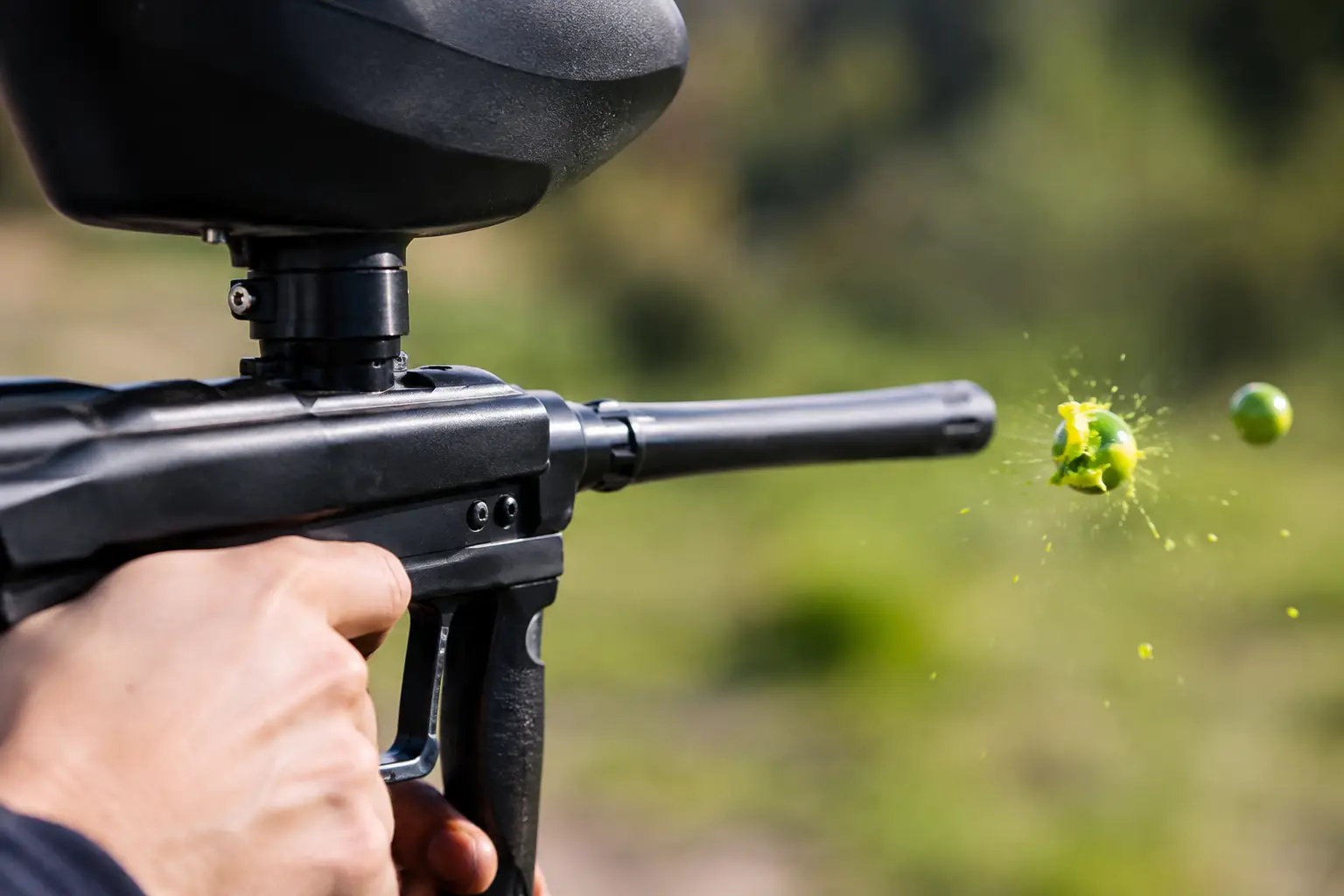
A chopped ball is more than an annoying pop and a spray of paint through the breech. It can turn the next several shots into a mess, ruin accuracy, and make a reliable marker seem broken. When players ask, “why does a paintball marker chop paint?” the short answer is that the bolt closed before the ball was fully and safely in the chamber. The useful answer is finding out why that happened before you waste another bag of paint.
A chop is usually a feeding problem, not a reason to start turning every adjustment screw on the marker. Paint quality, loader speed, detents, dirty eyes, worn parts, and incorrect air settings can all create the same symptom. Start with the simple checks, then move toward mechanical or electronic diagnosis if the problem continues.
What a Paintball Marker Chop Actually Means
Your marker needs a paintball to drop or be pushed fully into the breech before the bolt moves forward. If the ball is halfway in, bouncing back out, sitting at an angle, or delayed in the feedneck, the bolt can clip it. That is a chop.
This is different from a ball breaking in the barrel. A barrel break often comes from poor paint, paint that is too large for the bore, moisture, or a damaged barrel. A true chop leaves paint in the breech, around the bolt, and often inside the feedneck. The marker may then keep breaking paint because its eyes or bolt are coated in shell fragments and paint.
The first rule after a chop is simple: stop shooting. Continuing to fire can pack paint deeper into the marker, foul the eye system, and make the original cause harder to identify.
Why Does a Paintball Marker Chop? Start With the Paint
Paintballs are fragile by design. They need to break on target, but they also need to survive the trip from the loader to the breech. Old, dimpled, swollen, oily, or badly stored paint is far more likely to break during feeding.
Central Florida heat and humidity can be especially rough on paint. Paint left in a hot car, stored in direct sun, or exposed to major temperature swings can soften, deform, or sweat. Even a good marker and loader can struggle with a bag of paint that has become misshapen.
Check several balls from the bag. They should be round, clean, and consistent. If you see deep dimples, cracked shells, obvious oil, or balls that stick together, do not expect dependable performance. Gently rotate the paint in the bag or pod before use, but do not shake it aggressively. Rough handling creates small shell damage that may not show up until the ball reaches the breach.
Paint size matters too, though not always in the way players assume. Tight paint in a barrel can cause barrel breaks, but it does not usually cause a breech chop by itself. Still, if your paint is very inconsistent in size, it can feed inconsistently and add to the problem.
Your Loader May Not Be Keeping Up
A marker can only shoot as reliably as it feeds. Gravity hoppers can work well for slower mechanical play, but they may struggle with rapid strings of fire. If the marker shoots faster than paint can fall into place, the bolt can catch the next ball before it is fully loaded.
Electronic and force-fed loaders reduce that risk, but they need attention as well. Weak batteries, a jammed drive cone, worn paddles, a cracked shell, or paint debris inside the loader can slow feeding. If your loader sounds weak or feeds inconsistently when turned upside down, fix that before blaming the marker.
Match the loader to the marker and how you shoot it. A mechanical marker used at a controlled pace may not need a high-end force-fed loader. An electronic marker set up for faster firing needs a loader that can consistently keep the stack of paint moving. Buying more speed without enough feeding support is a common way to create chops.
Also inspect the feedneck and loader fit. A hopper that rocks excessively, sits too high, or has a damaged neck can create inconsistent ball movement. The loader should sit securely without being overtightened to the point of cracking its neck.
Check Ball Detents Before Changing Settings
Ball detents are small but critical parts. They keep paintballs from rolling backward out of the breech or bouncing into the bolt path at the wrong time. Depending on the marker, they may be rubber nubs, wire detents, or other small retention components.
A worn, torn, bent, or missing detent can let balls double-feed or roll out of position. That may look like a feeding issue, but the root cause is the marker failing to hold the ball where it belongs. On some markers, a damaged detent can also create rollouts down the barrel.
With the air removed and the marker made safe, inspect the detents for visible damage and make sure they are installed correctly. Do not poke at them with sharp tools or force them into place. They are inexpensive parts, but installing the wrong style or installing one backward can create new problems.
Dirty or Blocked Eyes Can Cause Chops
Most electronic markers use anti-chop eyes. These sensors check whether a ball is fully in the breech before allowing the marker to fire. When paint gets on the eyes, a broken shell blocks the beam, or an eye wire becomes damaged, the marker may not read the ball correctly.
Some markers will refuse to fire when the eyes cannot see properly. Others may fire in a backup mode, depending on their programming. That is why a marker can appear fine on the first few shots and then start chopping after one break coats the eye area.
Turn off the marker, remove the air source, and use a barrel sock before cleaning. Remove the bolt and carefully clean the breech and eye area with a soft swab or microfiber cloth. Avoid flooding the electronics with water or harsh cleaners. If the eyes remain inconsistent after cleaning, the issue may be a pinched wire, damaged eye cover, worn eye detent, or board setting that needs professional attention.
Air Pressure, Bolt Speed, and Timing Matter
If paint is good, the loader is working, and the detents and eyes look right, the next suspect is the marker’s setup. A marker running at the wrong pressure, with a damaged bolt O-ring, or with an incorrect dwell or timing setting can cycle improperly. Mechanical markers can also develop timing issues as springs, seals, and valves wear.
The temptation is to adjust everything at once. Resist it. Random changes can make the marker unsafe, cause velocity issues, or hide the real problem. Chronograph the marker correctly, verify that the tank is supplying air consistently, and return electronic settings to a known safe baseline if you are unsure what was changed.
Low-quality or nearly empty air systems can cause erratic cycling, but do not confuse low pressure with a reason to keep firing. If a marker begins to sputter, short-stroke, or behave inconsistently, stop and check the tank fill, regulator, and marker condition. CO2 setups deserve extra attention because rapid firing and temperature changes can affect consistency, particularly on markers designed around HPA.
A Fast Field-Side Chop Check
When a chop happens during a game day, work through the problem in order instead of immediately tearing the marker apart. First, make the marker safe and remove the air source according to the manufacturer’s procedure. Remove the loader and barrel, then clear broken paint from the breech, bolt, feedneck, barrel, and eye area.
Next, inspect the paint in your hopper and pods. If it is damaged, sticky, or badly dimpled, replace it rather than loading the same problem back into the marker. Check that the loader has fresh batteries and feeds normally. Then inspect the detents and reassemble the marker with clean, properly lubricated parts.
Test slowly with a few shots over a chronograph if one is available. If the marker works at a deliberate pace but chops during fast firing, focus on the loader, battery condition, or firing-rate settings. If it chops even when firing slowly with known-good paint, the issue is more likely inside the marker.
When It Is Time for a Repair Bench
Repeated chops with fresh paint, a working loader, clean eyes, and good detents are a repair issue, not a guess-and-shoot issue. Internal wear, leaking seals, a damaged bolt, solenoid trouble, timing problems, or electronic faults can require the right tools and replacement parts.
This is where an experienced pro shop can save money. Replacing random parts or installing an upgrade that does not match your marker often costs more than a proper diagnosis. At Combat Zone Sports, players can bring in a marker for knowledgeable repair support and take advantage of free lifetime maintenance on paintball markers purchased from the shop.
A clean marker, fresh batteries, quality paint, and the right loader will prevent most chops before the first game starts. If the problem keeps returning, let the symptoms point you toward the fix instead of trying to out-adjust them.