
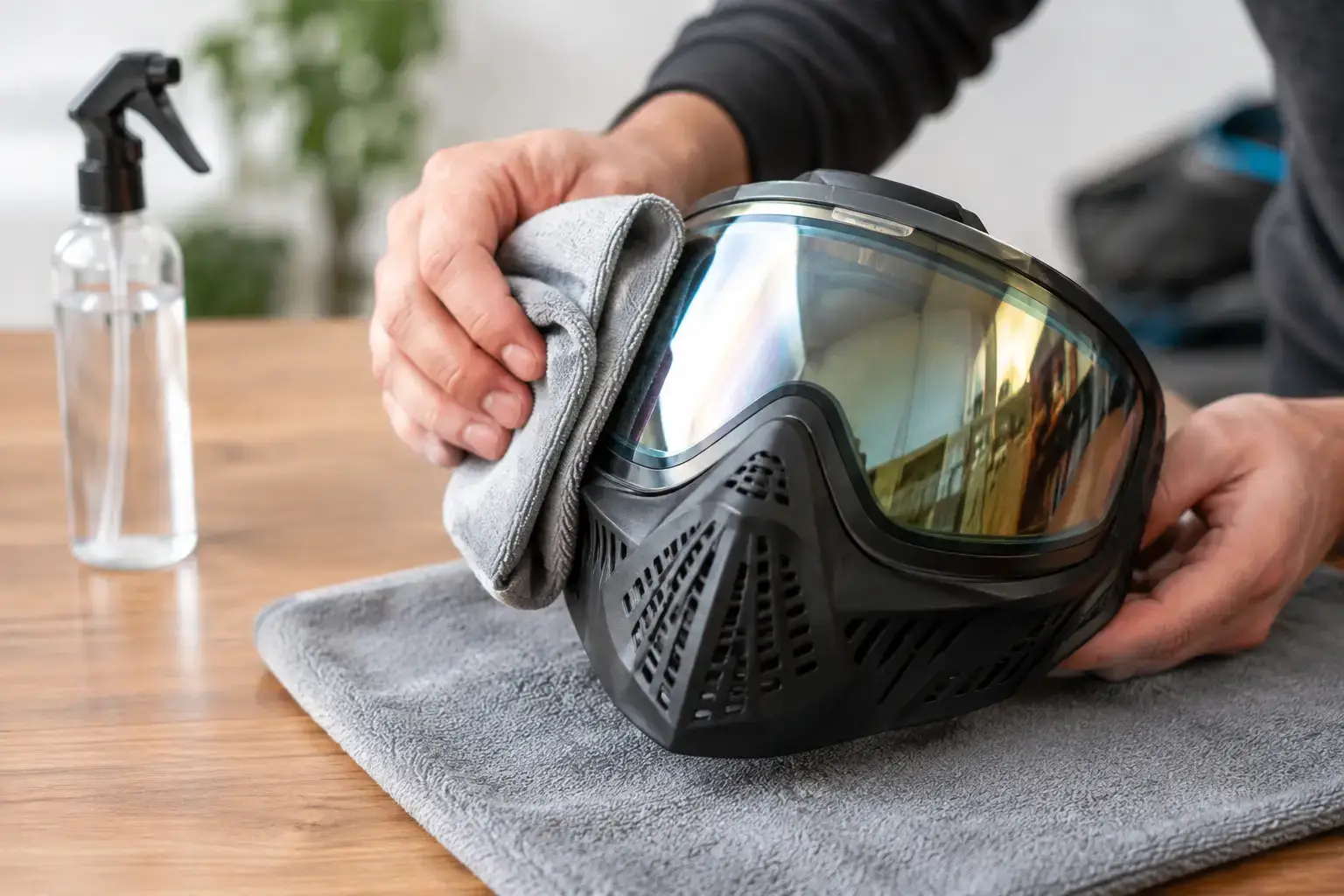
A clean lens is not a cosmetic detail. It is how you track movement through the woods, pick up a lane at the airball field, and avoid walking into a bad situation because dried paint turned a clear lens into a blurry mess. Knowing how to clean paintball goggles the right way protects your vision, extends the life of your mask, and helps prevent the scratches that make a lens frustrating to use.
The rule is simple: be gentle with the lens and more thorough with everything around it. Paintball lenses are safety equipment, not just plastic windows. Aggressive cleaning, the wrong chemicals, or a dirty rag can damage coatings and leave fine scratches that scatter light when you need a clear view.
What to Do Before You Clean the Mask
Start by checking the lens for cracks, deep gouges, spiderweb marks, or separation around the edges. If you find damage, do not try to clean your way out of it. Replace the lens before your next game. A paintball lens is designed to take impacts, but it is not meant to be used indefinitely or after visible damage.
If your goggles are heavily covered in fresh paint, remove loose paint before rubbing the lens. Rubbing a thick layer of paint, dirt, or shell fragments across the surface is one of the fastest ways to create scratches. Take the mask to a sink, hose, or clean water source and let water do the work first.
Use lukewarm water, not hot water. High heat can affect lens coatings, foam adhesive, and plastic parts. This matters even more in Central Florida, where a mask may already be hot after sitting in a car or gear bag.
How to Clean Paintball Goggles Step by Step
For most masks, clean water and a clean microfiber cloth are the safest starting point. You do not need harsh cleaners to remove paint.
Rinse off paint and debris
Hold the mask so water can run over the outside of the lens. Let dried paint soften for a minute if needed, then rinse it away. Use your fingers only with a very light touch to remove stubborn spots. Do not scrape paint off with a fingernail, knife, towel, or old field rag.
If you are cleaning at home, a sink sprayer works well. At the field, a water bottle is better than wiping the lens dry while paint and grit are still on it.
Clean the outside of the lens
Once the loose debris is gone, lightly blot the lens with a clean microfiber cloth. Blotting is safer than aggressive wiping. If the lens still has a smear, use a small amount of lens-safe cleaner that is approved for paintball or sport goggles, then wipe gently in straight, light passes.
Avoid paper towels. They seem harmless, but their fibers can be rough enough to leave fine scratches over time. The same goes for the corner of your jersey, your glove, or a dirty towel that has been rolling around in your gear bag.
Clean the inside carefully
The inside of a thermal lens needs extra care. Many paintball goggles use a dual-pane thermal lens with an anti-fog coating on the interior. That coating is part of the reason the lens resists fogging, and hard rubbing can wear it down.
If the inside is only dusty, use a dry, clean microfiber cloth and barely touch the surface. If it has sweat, water spots, or paint, follow the lens manufacturer’s cleaning instructions. In many cases, lightly blotting with water is safer than applying a general-purpose glass cleaner.
Never soak the full mask unless the manufacturer specifically says it is safe. Foam, straps, vents, and lens-retention systems do not all handle water the same way.
Clean the frame, foam, and strap
Once the lens is clean, wipe down the frame, ears, chin area, and vent holes with a damp cloth. Paint often collects in vents and around the lens tabs, where it can make lens removal harder later.
For the foam, use a lightly damp cloth and press rather than scrub. Sweat and dirt build up there, especially during hot Florida games, but soaking the foam can weaken adhesive and leave the mask smelling worse if it does not dry fully. Wipe the strap with mild soap and water if needed, then rinse the cloth and wipe away soap residue.
Let the goggles air-dry completely in a shaded, ventilated area. Do not leave them on a dashboard, near a heater, or in direct sun to speed up drying.
Cleaners and Habits That Can Ruin a Lens
Some products clean household glass well but are a poor choice for paintball goggles. Alcohol, ammonia-based glass cleaners, acetone, bleach, and strong degreasers can damage lens coatings or plastic. Do not use them unless your specific lens manufacturer explicitly approves them.
It is also smart to skip household disinfecting wipes on the lens. They may be useful for hard plastic areas in some situations, but their chemicals and textured material can be rough on coated lenses. If you need to sanitize the mask after sharing gear, clean the frame and strap carefully while keeping the lens treatment gentle.
A few habits cause more lens damage than players realize:
- Tossing goggles loose into a gear bag with pods, tools, and loose paintballs
- Leaving a damp mask sealed in a bag overnight
- Wiping a dirty lens with a shirt, paper towel, or glove
- Using hot water or leaving the mask in direct heat
- Taking the lens out repeatedly without understanding the retention system
A microfiber lens pouch or dedicated mask case is a small investment that prevents a lot of avoidable scratches.
What to Do When Paint Gets Between Thermal Lens Panes
Paint or moisture between the panes of a thermal lens is different from a normal dirty lens. Do not pry the two lens panes apart or try to force cleaner between them. You can compromise the thermal seal and turn a fog-resistant lens into a fog machine.
First, remove the lens from the mask only if you know the correct procedure for your model. Rinse the outer surfaces carefully and let the lens dry in a shaded area. If moisture remains trapped between the panes, the lens looks cloudy, or the seal appears to be separating, replacement is usually the safer call.
This is one area where trying to save a few dollars can cost more later. A damaged thermal lens can limit visibility all day, and a questionable lens should not stay in service.
Keep Your Goggles From Getting Dirty Again So Fast
Cleaning works better when your mask is stored and handled correctly between games. After play, let the goggles dry before packing them away. Leave the lens uncovered while it air-dries, but keep it out of direct sunlight and away from dusty garage shelves.
On game day, carry a clean microfiber cloth in a sealed bag. The cloth should be for lenses only, not for wiping down your marker, hopper, or muddy boots. If you use anti-fog products, make sure they are compatible with your exact lens type. Some players need anti-fog help in high humidity, while others get better results by improving airflow, replacing worn foam, or simply stopping the habit of lifting the mask between games.
If your goggles fog despite being clean, inspect the lens before buying more products. An old single-pane lens, worn thermal lens, damaged coating, or poor fit may be the real problem.
When It Is Time to Replace the Lens
A clean lens is not always a safe lens. Replace it if you see cracks, deep scratches, yellowing, warped areas, peeling coating, separation between thermal panes, or damage after a close impact. Also follow the replacement timeline recommended by the lens manufacturer, even if it still looks decent from a distance.
For newer players, this is one of the areas where a pro-shop opinion can save money and prevent a bad purchase. Combat Zone Sports can help you identify the right replacement lens and make sure it fits your mask before your next game.
Treat your goggles like the safety equipment they are. A few careful minutes after each game keeps your view clear, protects the lens you already own, and lets you focus on the next paintball instead of the smear in front of your eyes.